
2027 Journal Ecosystem: How to Build a Simple Journaling System That Works All Year
What is a journal ecosystem, and how does it work?
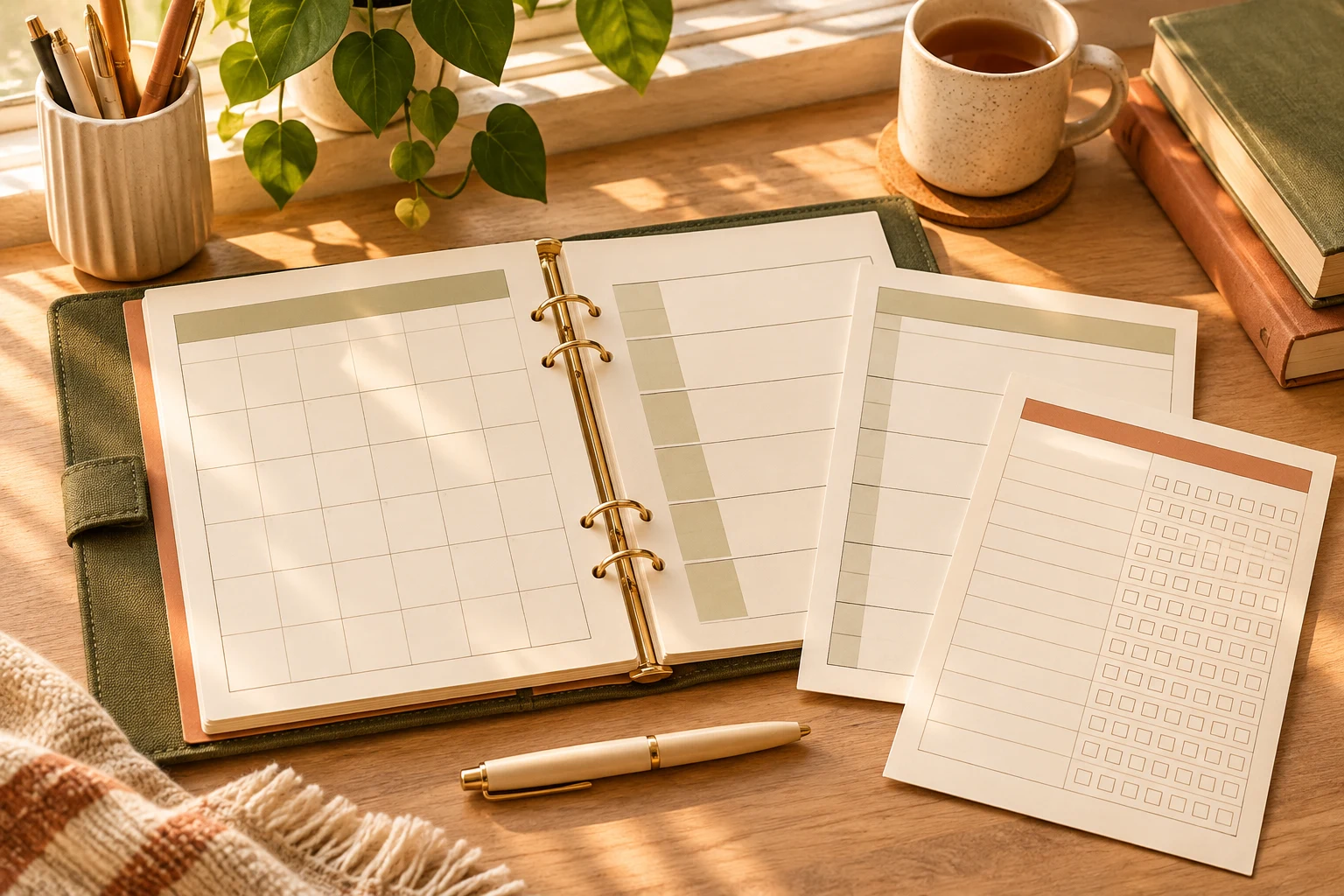
A journal ecosystem is a small group of paper pages or notebooks that work together. One planner holds your schedule, a tracker records repeated actions, and other pages capture thoughts, books, dreams, observations, and memories. The goal is not to write in every journal daily. It is to give each kind of information a clear home.
Think of it as a simple map rather than a collection you must complete. Your monthly calendar answers “What is coming?” Your weekly page answers “What matters this week?” A prompt page answers “What am I thinking about?” A reading log remembers books without crowding your calendar. Each page has a job.
You can build this in one binder, a notebook with sections, a few inexpensive notebooks, or a folder of printed sheets. The physical format matters less than knowing where to put something and how to find it later. If you already own a notebook, use it before buying another.
For 2027, begin with three working parts: a monthly or weekly planner, one tracker, and a place to write. Add the reading, dream, tracking, and junk-journal pages only when you have something to put in them. Empty pages are not evidence that your system failed.
Quick example: You have an appointment next Thursday, want to walk more often, and finished a novel. Put the appointment on the weekly planner, mark walks on the habit tracker, and write the book title in the reading log. Three different questions, three easy places to look.
Make it easier to find things: Date every completed page, even if the page has no printed date. Keep finished monthly sheets together and put current weekly pages at the front. If you use multiple notebooks, write a short contents note on the inside cover of your main planner so you remember where each topic lives.
Which journals do you actually need for 2027?
Most beginners need a planner core, one simple habit tracker, and a flexible writing page. Reading, dream, tracking, and junk journals are optional modules that become useful when those activities are part of your life. A good 2027 journal ecosystem starts small and expands only when you notice a real need.
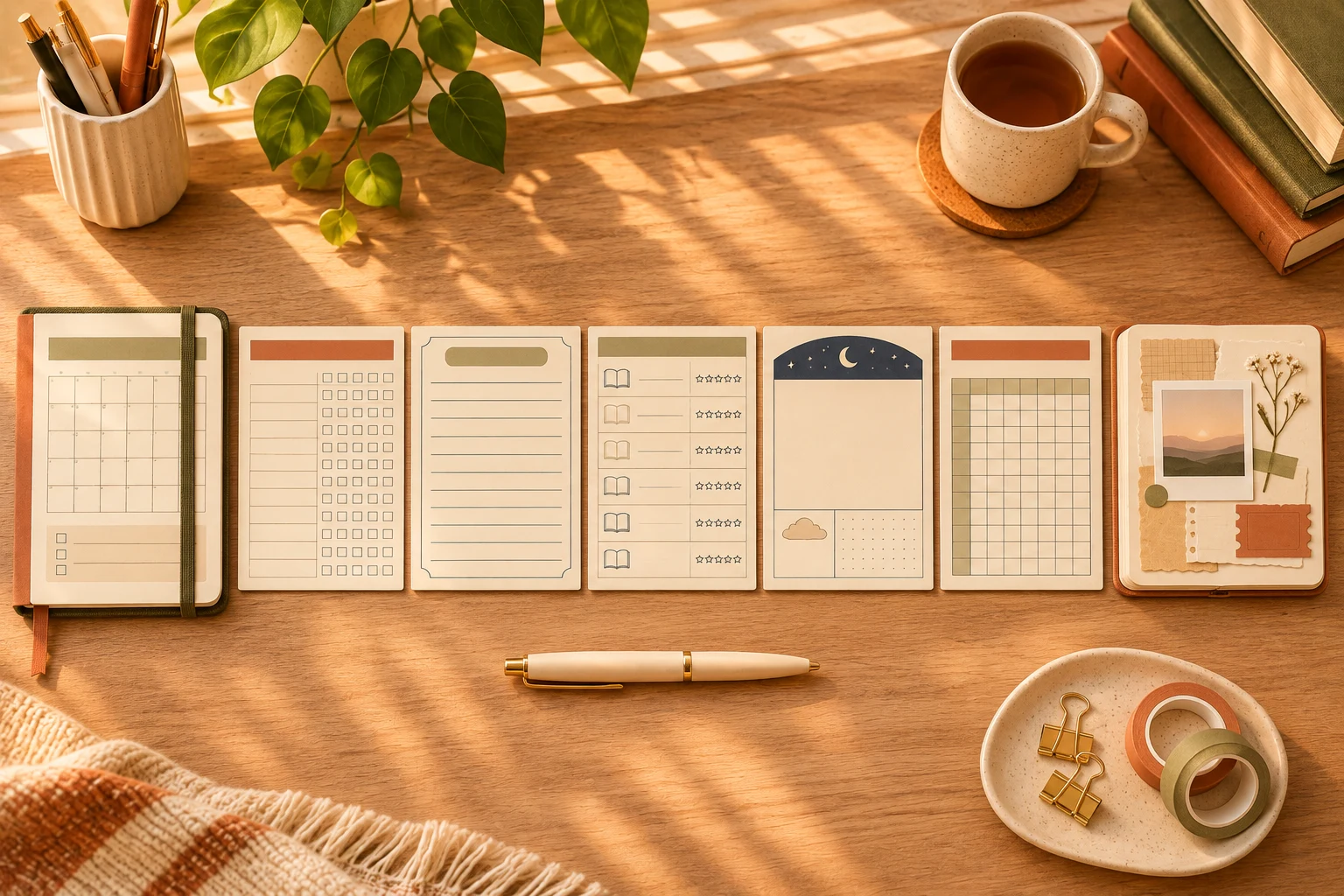
Planner core: monthly, weekly, and daily pages. Use a monthly overview for appointments, deadlines, travel, and events. Use a weekly page to choose a few priorities and leave room for ordinary tasks. Use a daily page only on days when the week needs more detail. You do not have to fill all three every day.
Habit tracker. Choose one to three actions you want to notice, such as reading, stretching, or preparing tomorrow’s bag. A mark means you did the action; a blank is information, not a verdict. The free habit tracker printable guide shows ways to make a tracker readable and reusable.
Prompt practice. Keep one lined page for short answers. Prompts help on days when a blank notebook feels too open. Start with “What would make this week feel easier?” or “What do I want to remember about today?” The 150 journal prompts for beginners give you more choices without requiring a daily streak.
A journal ecosystem can include more than planning and tracking; it can also give you space to understand yourself. Our journal prompts for self-discovery bring together 40 questions in four groups, covering identity, personal values, inherited beliefs, and who you are becoming. Choose one question at a time and let the rest wait for another day.
Reading log. Record the title, author, dates if helpful, and one thought about each book. You can also track books you want to read, but keep that separate from what you finished. The reading journal guide explains a beginner-friendly book log.
Dream log. Place a sheet beside your bed and write what you remember after waking, even if it is just an image or feeling. Do not pressure yourself to interpret it. The dream journal guide offers a practical way to capture details before they fade.
Tracking journal. This is for patterns you want to observe over time, such as energy, creative practice, spending categories, or garden progress. Unlike a habit tracker, it can record amounts, notes, or changes rather than only checkmarks. See what a tracking journal is before choosing a format.
Junk journal for memories. Save a ticket, a handwritten note, a wrapper, or a photo from a day you want to keep. Tape it down and add a date or sentence. The junk journal guide is a good starting point if you like tactile, imperfect pages.
You may never need all seven modules. Someone who rarely remembers dreams can skip the dream log. Someone who reads several books a month may love the book log. Your journal ecosystem should describe your life, not someone else’s stationery shelf.
A useful decision rule: Before adding a new section, ask what question it answers and how often you expect to open it. If the question is already answered somewhere else, do not duplicate the page. If the answer is “only after a special event,” make that section optional rather than part of your daily routine.
Is a paper journal system better than a journaling app?
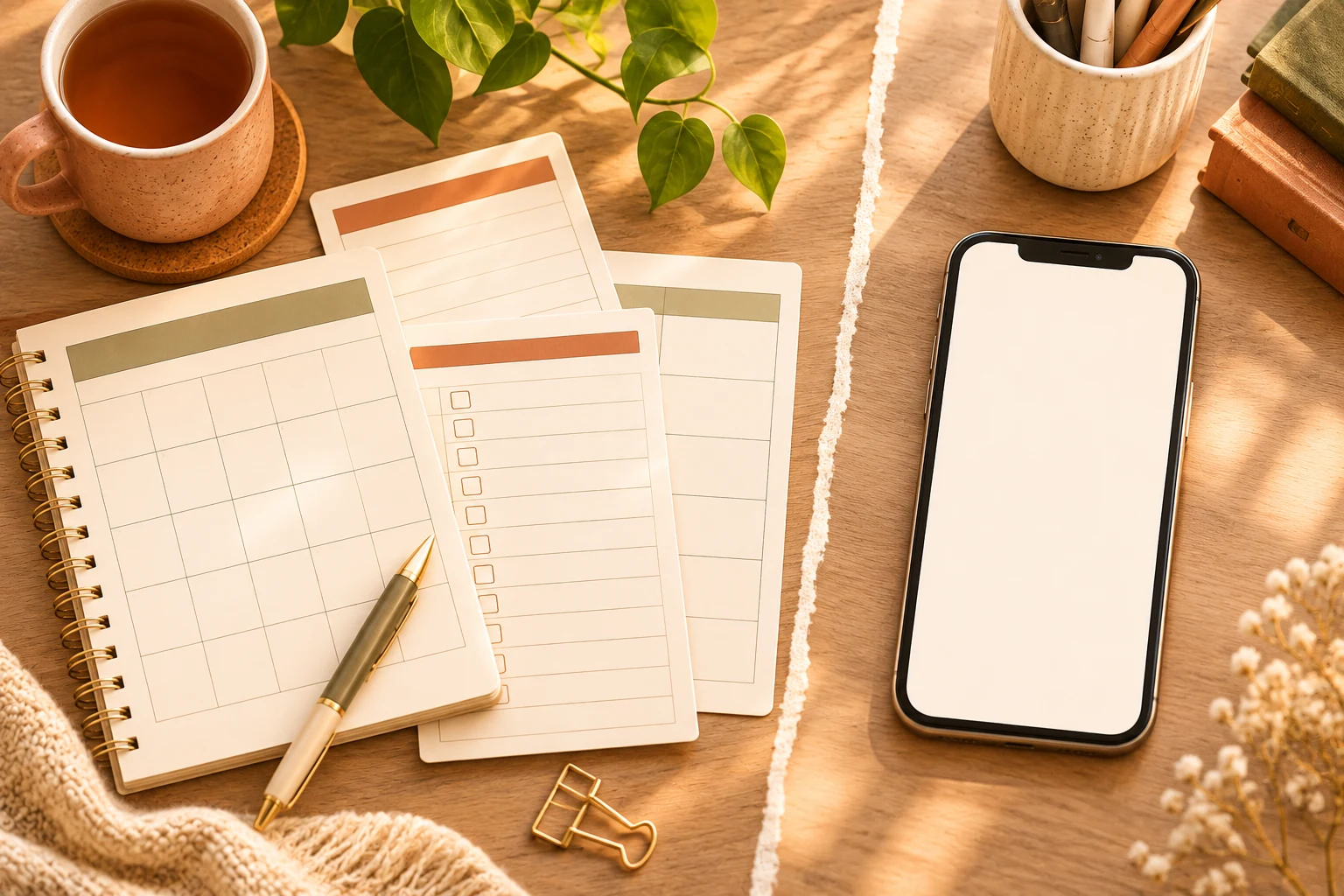
A paper journal system is useful when you enjoy writing by hand, want a screen-free moment, or like keeping physical memories. An app may be better for searchable notes, reminders, or information you need across devices. Neither is automatically better. Choose the format you will actually use, and combine them if that helps.
| Question | Paper journal ecosystem | App-based system |
|---|---|---|
| Setup | Print or draw a few pages | Install and configure tools |
| Reminders | Requires you to check pages | Can send notifications |
| Searching old entries | Flip through dated pages | Usually keyword search |
| Tickets and keepsakes | Easy to paste in | Usually photographed or scanned |
| Screen time | Can be fully offline | Typically requires a device |
| Editing and backups | Cross out or replace pages; store safely | Often editable; backup depends on service |
| Ongoing cost | Paper, ink, or notebooks | Free or subscription options |
| Best fit | Hands-on, flexible, tactile use | Fast capture, syncing, searching |
A hybrid setup is fine: keep appointment reminders on your phone while using paper for reflection and memories. You do not need to copy every event into both places. Decide which source is authoritative for appointments so a changed time does not get lost.
If privacy matters, remember that a paper journal can be read by anyone who finds it, while an app may store entries with a third-party service. Choose storage and access controls appropriate to what you write. You can also keep sensitive material out of a shared household planner.
How do you build your journal ecosystem in five steps?
Build your journal ecosystem by choosing one home for your pages, setting up a planner core, adding one tracker, creating a short writing practice, and reviewing the system once a week. You can do the first setup in a single relaxed sitting. The important part is making the next use obvious.
Step 1: Choose a home for your pages
Pick a binder, notebook, folder, or combination you already have. A binder makes it easy to move printed pages; a bound notebook is portable and simple. Label the sections “Plan,” “Track,” “Write,” and “Keep” if that makes finding things easier. Do not make dividers a prerequisite for starting.
Step 2: Build the planner core
Start with one monthly page and one weekly page. Add appointments and commitments you already know, then write two or three realistic priorities for the coming week. Keep a daily page available for busy days, but do not create 365 daily pages in advance. Leave room for changes.
Step 3: Add one tracker
Choose something you genuinely want to notice. Write the habit name in plain language, such as “Read for a few minutes,” rather than a vague goal like “Be better.” Make a mark when it happens. If you miss days, continue on the next square without restarting the month.
Step 4: Make writing easy to begin
Place a prompt list near a lined sheet or notebook. Pick one question and answer in a sentence, a short list, or a paragraph. You can write in the morning, before bed, or whenever a pause appears. There is no minimum word count. Messy counts.
Step 5: Set a weekly check-in
Choose a time you can usually remember, perhaps Sunday afternoon or Monday morning. Look at the week ahead, move unfinished tasks that still matter, notice tracker patterns, and decide whether any optional page would help. The review should simplify the coming week, not create another chore.
Try this tiny setup: On your first page write “2027 — things I want room for.” Under it, name three areas such as rest, reading, and keeping in touch. Use those areas to decide which pages deserve space. If a section has no clear purpose, leave it out for now.
Keep the system forgiving. You are allowed to change paper size, stop using a spread, or replace a tracker in February. A system that adapts is more useful than one that looks finished on January 1.
For shared households: Keep a shared calendar separate from private journal entries. Your personal weekly planner can refer to shared commitments without copying private reflections into a visible place. If someone else relies on a date or time, confirm that the shared version stays up to date.
What does a journal ecosystem look like in one notebook?
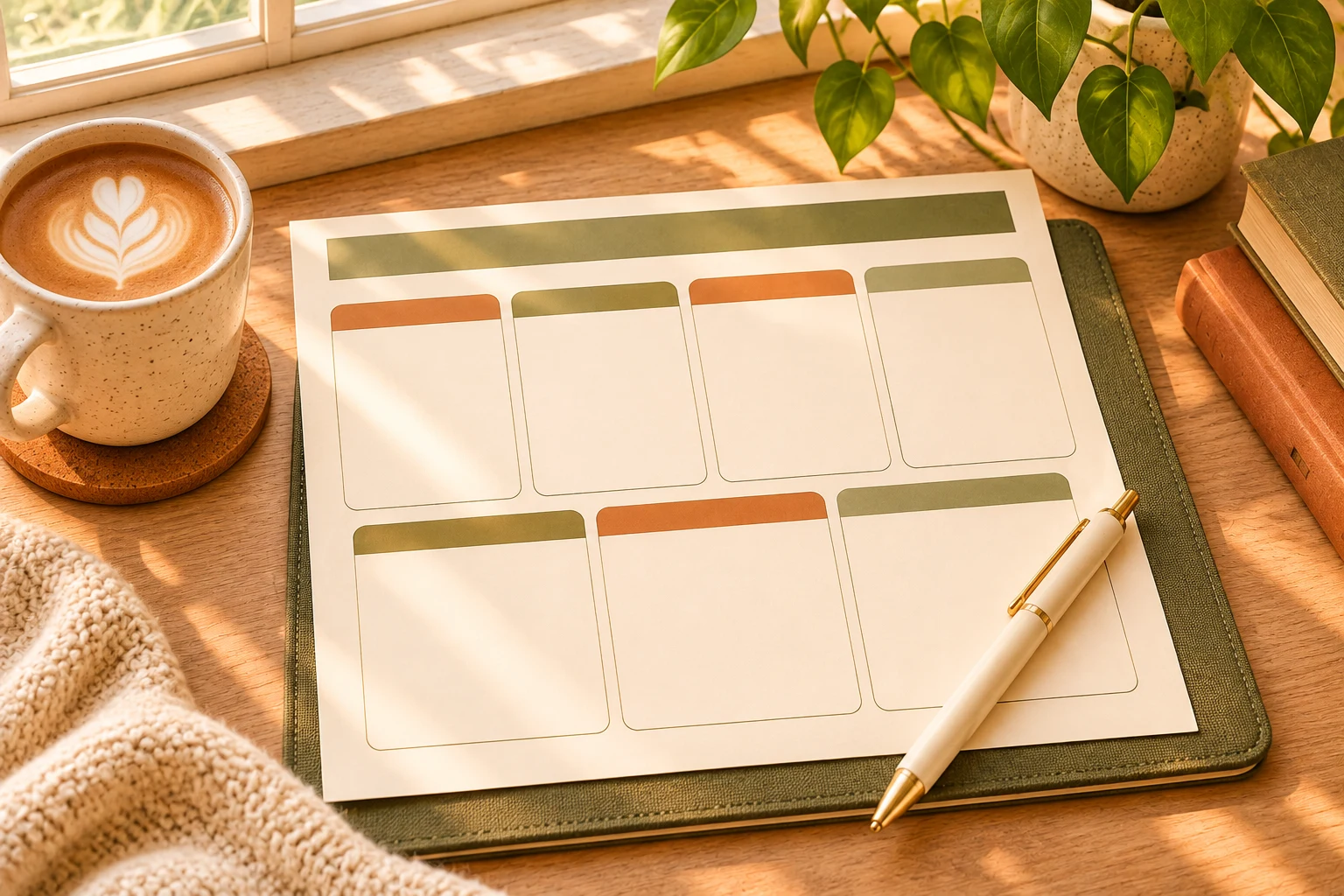
Here is the whole system on one desk, in one notebook. The open spread is the planner core: a weekly layout of seven day boxes where the week gets planned, usually on Sunday. Nothing else goes on this spread — no stray notes, no extra lists — so the plan stays readable at a glance.

Beside it sits the tracker: one grid sheet for the month, a row for each habit and a square for each day. Keeping it with the notebook — tucked inside the cover or printed for the same binder — means the weekly check-in is a single motion: look at the month’s pattern, then turn to the new weekly spread and plan with that pattern in front of you.
The third part is the writing page: plain lined paper for whatever the day brings up. It lives in the same notebook on purpose. A thought that surfaces while you plan has somewhere to go the moment it appears — no second notebook to fetch, no app to open. That is the ecosystem working: the plan shapes the day, the tracker shows the pattern, and the writing explains it.
What should your first week of journaling look like?
Your first week should be light enough that you can repeat it. Spend a little time setting up your planner, then use one small action each day: check the schedule, mark a habit, answer a prompt, or save a memory. The plan below is a menu, not seven required assignments.
| Day | Small action | Optional extra |
|---|---|---|
| Monday | Add appointments to the weekly page | Choose one priority |
| Tuesday | Mark your chosen habit | Write one sentence |
| Wednesday | Answer a journal prompt | Add a book to your log |
| Thursday | Check tomorrow’s plans | Record an observation |
| Friday | Save one memory from the week | Add a ticket or photo |
| Saturday | Write freely for five minutes | Note a remembered dream |
| Sunday | Review the week and prepare the next | Remove a page you did not use |
On a busy day, simply opening your planner counts as using the system. If you forget Tuesday and Wednesday, pick up on Thursday. Do not fill blank squares with made-up entries to make the week look complete.
At the end of the week ask: Which page did I reach for without thinking? Which page felt unnecessary? Did I know where to write something when it happened? Those answers are more helpful than counting how many pages you filled.
If you enjoy daily journaling, write more. If you prefer a weekly recap, keep it weekly. The point of a starter week is to learn your natural rhythm before making a year-long commitment.
When your energy is low: Use fragments instead of full sentences. “Rainy morning; called a friend; felt calmer” is enough to preserve a memory. A small checkbox or a single word may be the most useful entry you make that day. The page does not need to look complete.
How can you keep a journal ecosystem going all year?
To keep a journal ecosystem going, make the daily action small and the weekly review predictable. Keep supplies visible, avoid copying the same information into several places, and refresh pages when your needs change. A missed week is not a reason to abandon the year; it is simply where you begin again.
Give your most-used page the easiest location. If you check a weekly planner each morning, keep it open near your desk or bag. Store rarely used pages, such as a dream log or memory pocket, in the back. The more steps required to find a page, the less likely you are to use it.
Keep your routines tied to existing moments. Check the planner with your morning drink. Mark a tracker after the activity, not from memory three days later. Write a quick note while a book is still fresh. Put ticket stubs in an envelope until you have time to glue them in.
Use a “minimum version” for difficult weeks: one look at the calendar, one checkmark if relevant, and one sentence if you want to write. This is not a lesser form of journaling. It is a way to keep the system available during exams, travel, family demands, or a busy work period.
Avoid turning every interest into a daily obligation. Your reading log might only change when you finish a book. Your junk journal might fill after a trip. Your dream log might stay blank for weeks. These pages are tools waiting for their moment, not unfinished homework.
When a page stops helping, ask why. Perhaps the boxes are too small, the categories are too complicated, or you are tracking something you no longer care about. Adjust the design or retire the page. You are not required to keep a format just because you printed it in January.
When you want to change the layout: Test the new format for one week before replacing every sheet. Notice whether the writing space is large enough, whether the labels are obvious, and whether you can see the important information quickly. A small trial prevents piles of unused printouts.
When should you refresh your journal setup during 2027?
Refresh your journal setup at the beginning of a new season or whenever life changes. Keep the pages that work, archive completed sheets, and replace only what needs attention. A short seasonal reset in spring, summer, fall, and the holidays can make your 2027 journal ecosystem useful without rebuilding it every month.
January and February: start gently. In early January, create your monthly overview and choose one tracker. By February, look for pages you never opened. Keep the useful ones and stop printing the rest. New Year motivation is helpful, but it does not need to become a strict year-long contract.
Spring (March–May): make space. Check whether your weekly layout still fits work, school, family, or outdoor plans. You might add a simple garden observation page, reading list, or weekend memory pocket. A spring refresh can be as small as changing your tracker question.
Summer (June–August): favor portability. Travel, long days, and changing routines may call for fewer pages. Carry a folded weekly sheet or small notebook and collect tickets or postcards in an envelope. If you travel between time zones, keep appointment times clear and confirm important details in your calendar.
Fall (September–November): return to structure. School schedules, work projects, and shorter days can make a weekly planner especially useful. Review your commitments and choose one habit that supports the season. A reading log or evening prompt page may fit naturally, but neither is required.
Holidays and year-end (December): keep what matters. Use a simple list for gatherings and tasks, and save cards, tags, or small notes in your memory section. At the end of December, look through your pages and choose a few moments you want to remember. Do not judge the year by the number of blank pages.
For readers in Australia, seasons run differently: spring is September–November, summer is December–February, fall is March–May, and winter is June–August. Use the same refresh idea with your local season rather than copying a Northern Hemisphere calendar.
You can also reset after a move, a new job, a school term, or a change in family routine. The best refresh date is the one that helps your pages reflect the life you are living now.
A simple archive habit: At the end of a month, move finished pages behind a divider or into an envelope marked with the month and year. Keep only active pages within easy reach. You can revisit old entries when you want to remember a season, but you do not need to reread everything.
What mistakes make a journaling system hard to maintain?
The most common mistake is making too many pages before you know which ones you will use. Other problems include duplicating information, choosing complicated trackers, and treating missed days as failure. A simple fix is to give each page one purpose and remove anything that adds more work than value.
| Common mistake | Why it becomes difficult | Simpler fix |
|---|---|---|
| Starting seven daily journals | Too many repeated tasks | Start with three core tools |
| Copying appointments everywhere | Changes become inconsistent | Keep one main calendar |
| Tracking ten habits at once | Grid becomes overwhelming | Choose one to three |
| Printing a full year immediately | Needs change over time | Print one month first |
| Decorating before planning | Setup takes too long | Write first, decorate later |
| Backfilling missed entries | Journaling feels like homework | Leave blanks and continue |
| Buying supplies to feel ready | Cost and clutter increase | Use what you already own |
| Keeping pages you dislike | System becomes frustrating | Replace or retire them |
If you like elaborate decoration, enjoy it. The mistake is not decorating; it is feeling that a page must be decorated before it can be useful. A plain list with crossed-out items can be exactly the right page for a busy Wednesday.
Another common issue is unclear categories. If “tracking journal” and “habit tracker” seem interchangeable, decide what each one records. Use the habit tracker for yes-or-no actions and the tracking journal for quantities, observations, or notes. You can also combine them if that is easier.
Finally, avoid comparing your unfinished pages to polished photos online. A real journal may have coffee marks, changed plans, or taped-in scraps. Those details do not make it less useful. They show that it belongs to a real day.
If you prefer a notebook: Draw a line across a page to separate two functions rather than purchasing another book. One side can hold a weekly plan and the other a short reflection. Use a page number or a sticky tab to return to a longer list, such as books you have read.
Where can you find free 2027 journal printables?
You can start with free printable pages in The Small Pages Library. The library is open access and does not require an email signup. The 2027 Journal Setup Checklist is a free one-page guide, in A4 and US Letter sizes, that helps you choose your first pages before you build your system.
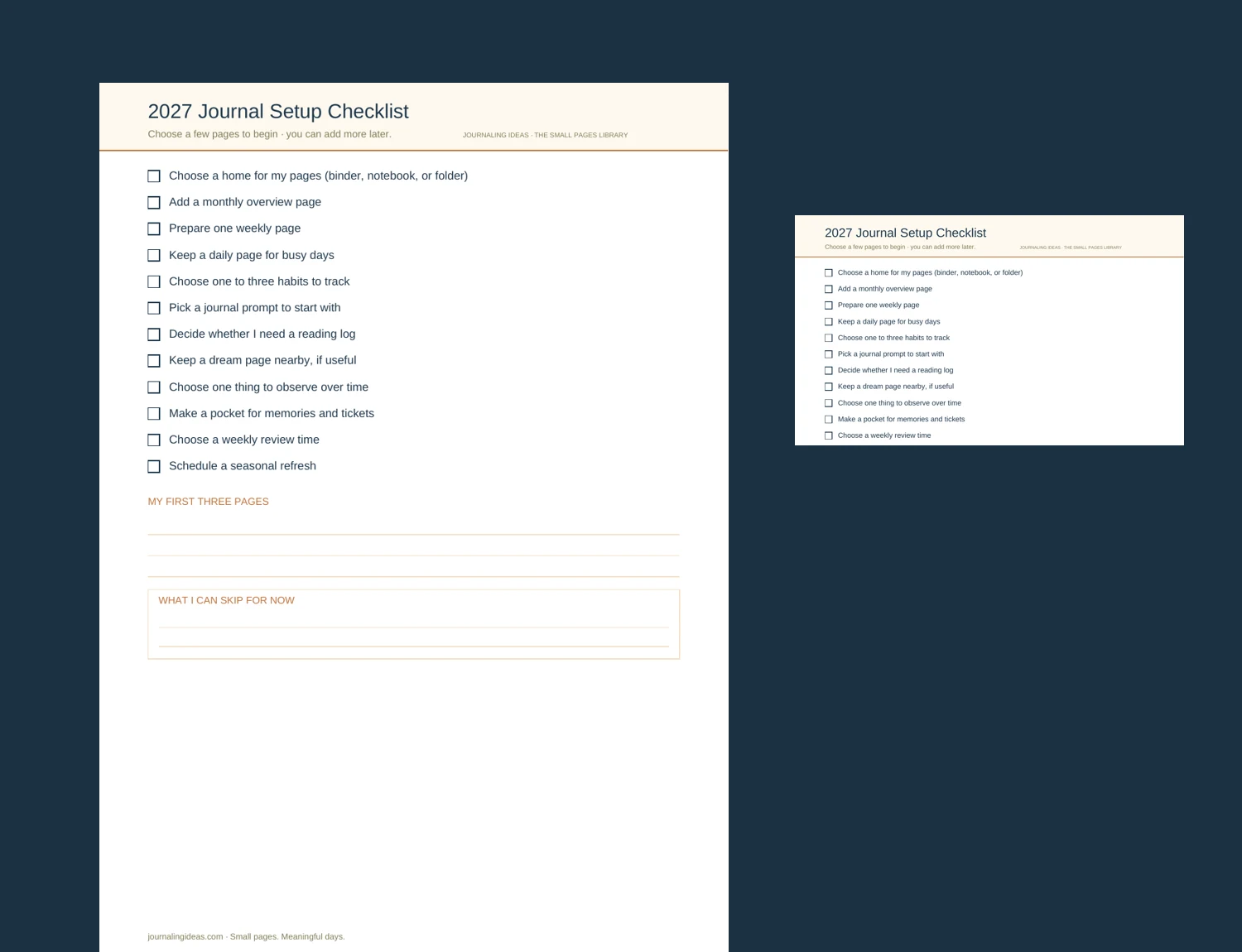
The checklist walks you through the choices in order: choose a home for your pages, add a monthly overview, prepare one weekly page, and keep a daily page for busy days. Then choose one to three habits, pick a journal prompt, and decide whether you need a reading log or a dream page nearby. You also choose one thing to observe, make a pocket for memories, pick a weekly review time, and schedule a seasonal refresh. At the bottom there is a line for “My first three pages” and a small box for “What I can skip for now.”
The existing library bundles provide planner and bullet-journal setup pages, habit trackers, journal prompts, gratitude pages, a dream log, a reading log, and other journaling tools. Choose the pages you need rather than printing everything. The checklist is a planning aid, not a promise that every type of journal must be used.
For printing, open the PDF for your paper size, check the print preview, and choose actual size or 100% scale when appropriate. If your printer has large nonprintable margins, check that no labels are cut off. Print one test sheet before making several copies. Store unused pages in a folder so you can return to them later.
You do not need special paper, expensive pens, or a matching notebook collection. Ordinary printer paper and a pen are enough to test a system. Start with a monthly overview, a weekly sheet, and one tracker. Add the other printables only when you find yourself wishing for a place to record something.
Build your 2027 journal ecosystem — get the free setup checklist (A4 + US Letter) and choose the pages you want from The Small Pages Library. No signup required.
If you prefer printables: Print only the next few sheets you expect to use. A4 and US Letter are different sizes, so select the matching file when one is offered. Keep a blank spare weekly sheet in your folder for a fresh start after travel or a change of plans.
How do you make your journal ecosystem feel personal?
Make your journal ecosystem personal by choosing categories that reflect your real interests, using words you understand, and leaving room for unplanned moments. You can keep a very plain planner and a colorful memory journal side by side. The pages do not need matching covers or a consistent aesthetic to belong together.
Write your own section names. “Things to remember” may be more inviting than “Future Log.” “Books I liked” may work better than “Reading Analytics.” If a page title makes you hesitate, rename it. Your system should be understandable when you open it after a tiring day.
Choose a few small details that make writing pleasant: a favorite pen, a quiet corner, a binder clip, or a page marker. These are optional comforts, not supplies you must purchase. The same principle applies to stickers and decorative tape: use them if they add enjoyment, not because a photograph suggests they are required.
Allow some pages to stay private and others to be shared. A reading list might be fun to show a friend, while a prompt response might be for you alone. If you share a photo of your journal online, check the background for names, addresses, appointments, or other details you would rather keep private.
Your year will not unfold exactly as your January pages predict. That is why a flexible ecosystem works: the planner can change, the tracker can restart, and the memory pages can grow at their own pace. You are building a place for ordinary life, not a perfect record of it.
If you are unsure what to track: Try recording an activity you already do rather than setting an ambitious new goal. A tracker can show what your week is like before you decide what to change. Choose a neutral label and review the marks with curiosity, not criticism.
Build Your 2027 Journal Setup
If you are setting up a fresh journal system for 2027, these guides are made to work together. Start with the piece you need most — each guide is free to read, and each one comes with its own printable pack in The Small Pages Library.
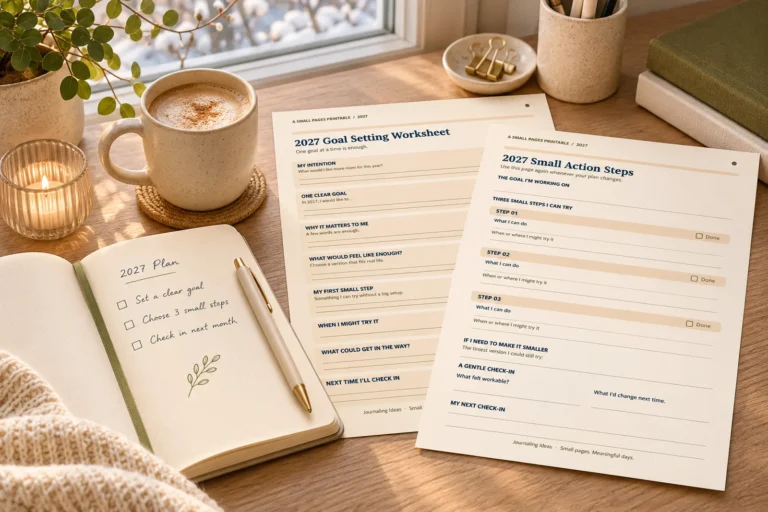
- Set your goals: start with the 2027 goal setting worksheet to choose one main goal and your first steps, then keep a 2027 goal journal beside it for monthly check-ins and quarterly reviews all year.
- Picture your year: a vision board journal for 2027 turns your goals into a page you can look at every day.
- Read your way through the year: the 2027 reading challenge gives you 24 prompts and a simple way to track every book.
- Write most days: January journal prompts give you one dated prompt for every day of the month, and the new year journal prompts help you close one year and open the next.
- Finish this year gently: the December journal prompts and December bullet journal ideas are ready whenever you are.
You do not need all of them. Pick the one that matches what you want from 2027, print its pack, and begin there.
Frequently asked questions about journal ecosystems
What is the difference between a journal ecosystem and a bullet journal?
A journal ecosystem is any group of journals or pages with different jobs. A bullet journal is a specific flexible planning method, often using an index, logs, and short bullet entries. A bullet journal can be the planner core inside a larger ecosystem, but you do not have to use bullet journaling to build one.
How many journals should a beginner use?
Start with one notebook or binder and two or three types of pages: a planner, a tracker, and a place to write. Add a reading log, dream log, or memory journal when you have a clear reason. There is no ideal number, and one notebook can hold everything.
Can I keep all my journal pages in one binder?
Yes. A binder is especially practical for printable pages because you can move sections, replace a weekly sheet, and archive completed months. Use simple dividers or paper tabs if helpful. Make sure the hole placement and paper size work with your binder before printing a large batch.
Do I need to journal every day for it to work?
No. Your planner might need a quick daily glance, but your reading log only needs an update when you read, and your memory pages can be occasional. Choose a rhythm that fits your life. Missing a day does not erase the value of the pages you already made.
How do I restart journaling after missing a month?
Open a fresh weekly or monthly page and write the current date. Add the next appointments and one small priority. You do not need to recreate the missing month or explain the gap. If a tracker no longer matters, replace it. Begin with the next useful page.
What should I put in a 2027 journal setup?
Start with a monthly overview, a weekly planner, and one simple habit tracker. Keep a lined page for prompts, then add optional reading, dream, observation, or memory pages. Use the free setup checklist to choose what belongs in your system, and review your choices after the first week.
A small reflection question: At the end of each month, ask “What did these pages make easier?” You might discover that the calendar was useful while the daily log was not. That is a good outcome: you learned how to make next month’s system lighter.
A journal ecosystem does not have to be large to last all year. Begin with the pages you will actually reach for, let the rest wait, and make room to change your mind. Small pages. Meaningful days.
Seasonal planning can have its own small place in your journal ecosystem, too. If you’re organizing gifts, holiday spending, or December preparations, our free Christmas planner printable gives you three simple pages: a gift list, budget tracker, and holiday countdown checklist. Print them in A4 or US Letter, keep them with your everyday planner, and put them away when the season ends. No need for a whole new notebook.



5 Comments